Learn Better. Teach Smarter.
Your learning environment, organized in one place. Download Qlassia for your desktop and bring your classes, sessions, learning materials, activities, and conversations together.
Choose your platform to get started.
Checking the latest release…
Application preview
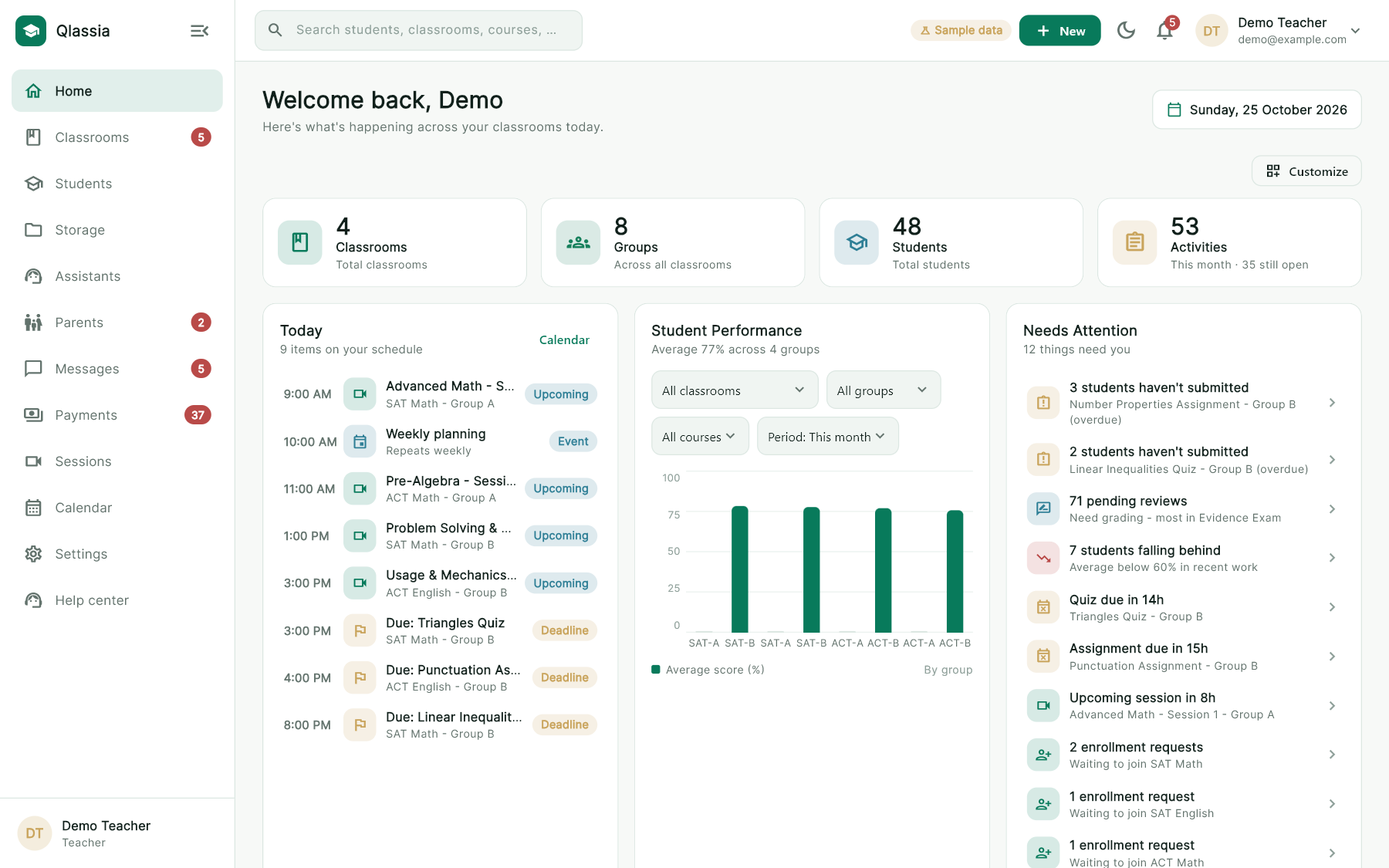
Screens from the current Qlassia desktop build, shown with the app's built-in sample data.
Everything for the classroom, in one app
Teachers, students and parents each get a workspace built for what they do.
-
Classrooms, groups and sessions
Organize classrooms into groups and subjects, and schedule the sessions each group attends.
-
Learning materials together
Keep courses, topics and files in one place, so students know where to find what they need.
-
Activities and a question bank
Set homework, quizzes and exams, and build them from questions you can reuse.
-
Progress students can see
Students follow their grades, attendance, points and achievements, and plan their study time.
-
Parents stay informed
Parents see each child's upcoming deadlines, recent results and attendance.
-
One calendar for the week
Sessions, deadlines and events appear together on a shared calendar.
-
Messages, groups and voice notes
Students, teachers and assistants talk inside the app. Send photos, documents and voice messages, and teachers can open group chats for a class.
-
Materials stay in the app
Videos, PDFs and Word files open in a built-in viewer instead of being handed out as downloads. On Windows the viewer also blocks screen capture.
-
Payments and receipts
Students pay for paid sessions by InstaPay, teachers approve the transfer, and a numbered receipt can be written for every payment.
-
A subscription that bends
Teachers can ask to pause, freeze the account over the summer, or request extra time, and get an e-mail reminder before the subscription ends.
-
Know who is teaching you
Every teacher and assistant has a profile page with their school, position and subjects, and students can reach them through the platform.
Download Qlassia
Pick the installer for your computer.
macOS
Checking… Your systemQlassia is a desktop app. Open this page on your Windows PC or Mac to install it.
Check your download. Compare the installer's SHA-256 checksum with the one listed above before you run it.
Windows (PowerShell): Get-FileHash -Algorithm SHA256
macOS (Terminal): shasum -a 256